I wasn’t expecting to like Forth. I heard of it when I was a teen. I looked at some code samples, and thought immediately it wasn’t for me. Too cryptic. I didn’t get the point.
Getting inspired
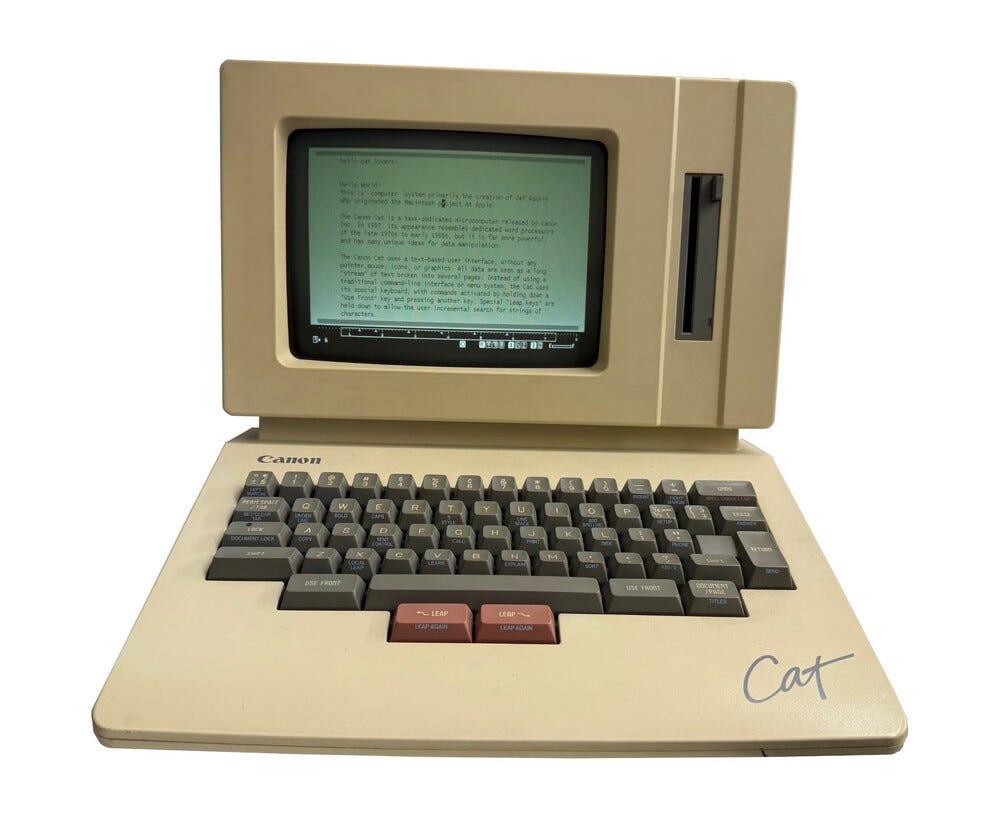
It seems like what gets me to check out a language I come to like is a story. I was prompted to look at Forth again a few years ago. I wasn’t finally convinced to take the plunge until I heard about Jef Raskin’s second computer design, called the Canon Cat, a word processor that was sold by Canon in 1987, and then cancelled.
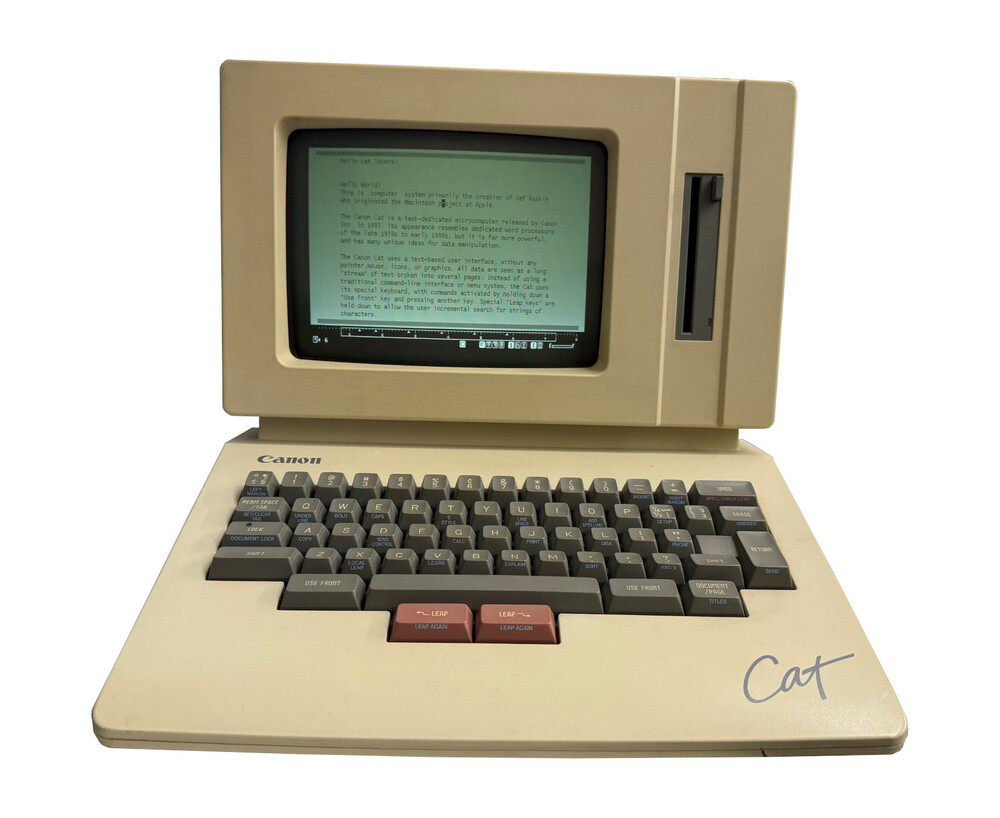
The Cat’s system and word processing software were written in Forth. It ran on the Motorola 68000, and had a built-in screen, keyboard, and floppy drive. The user could embed Forth scripts inside documents, and could share documents with other Cat users over phone modem. It also allowed the user to “break” into the Forth environment, to extend and/or change the overall system.
I was impressed that such a thing was made into a real product that people could buy and use. Raskin designed the word processor for ease of use, but interestingly, he didn’t like the GUI/mouse scheme that eventually became standard on PCs, not even when he worked on developing the Apple Macintosh many years earlier (there’s a story about that which I won’t get into here). He much preferred adding a few buttons to the standard keyboard layout, making their use intuitive, and also making it possible to access a few menus that way.
I came upon a question on Quora.com, asking whether Atari had used Forth in any of their software. This was a joy to research. You can see my answer at:
Quora: Did Atari use the Forth Language for any of their Software?
The short answer is yes. Atari released a few pieces of Forth software for the 8-bit:
-
A dealer demo for the Atari 400, released on cartridge.
-
AtariLab (a cartridge/disk combo), an educational package that was meant to be used in science classes.
-
Synfile+, a relational database, which Atari licensed from Synapse Software.
Along the way, I found out that some third-party software for the 8-bit was written in it.
As one example, the Atari Program Exchange published a few Forth titles:
-
“Block Buster” – A Rubik’s Cube solver.
-
“Keyboard Organ” – A music program.
-
“RAMBrandt” – A drawing program.
-
“Tactrek” – A Star Trek strategy game.
A big surprise was “Boulder Dash,” a very popular video game title from First Star Software, along with a well-known Spinnaker educational title, “Facemaker.” Electronic Arts released several Forth-based titles for the Atari, and other 8-bits, in its early days: “Worms?”, “Cut & Paste”, “Financial Cookbook”, and “Lords of Conquest”.

In my research, I found that a reason some 8-bit developers were attracted to the language was it was considered portable, along with being able to fit in a small amount of memory.
There were a bunch of different versions of Forth around, in those days.
I remember seeing this ad for ValForth when I was a teen.
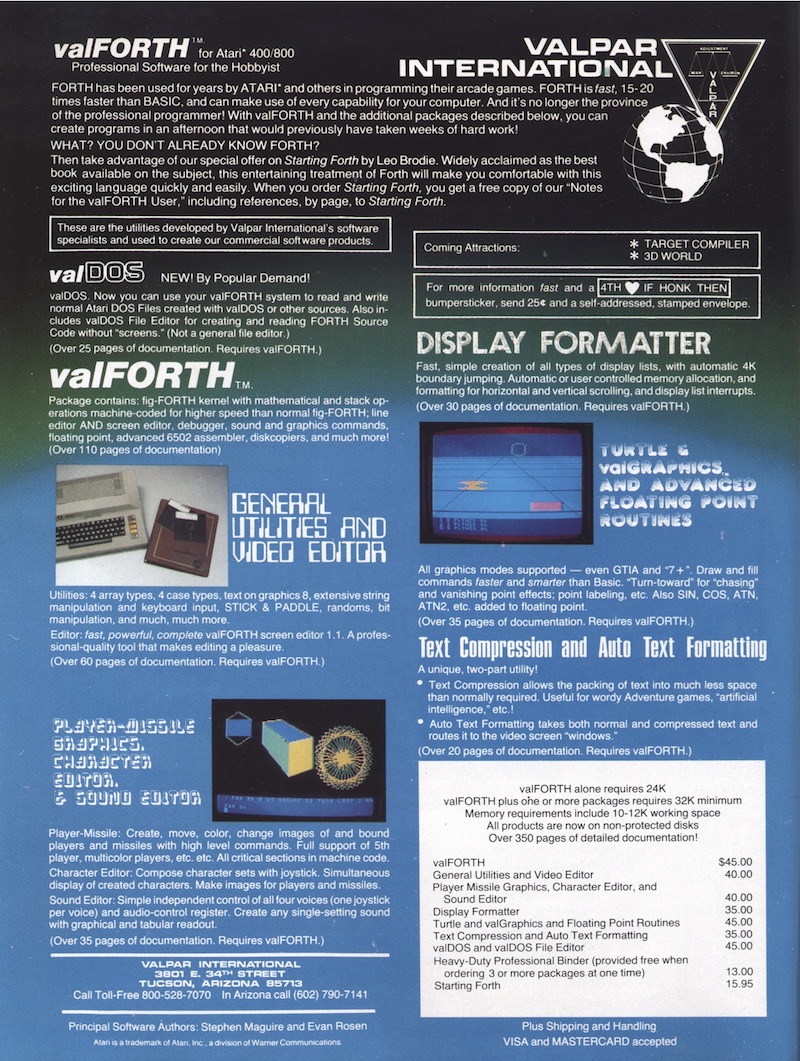
It looked awesome. Though, strangely, even though I got the idea it was a development package for the Atari, I had no idea it was a version of Forth. I think I was too dazzled by the ad layout and graphics to notice. 🙂 It turns out it was a popular package for commercial Forth development. I hear it was written as a large extension to fig-Forth.
Getting into APX Forth
I’ve been looking for excuses to work down at the system level on the Atari, and Forth has been an avenue for that. I also wanted to get a good feel for what working with a stack machine is about.
The full name of the package is APX Extended fig-Forth; “fig” standing for “Forth Interest Group.”
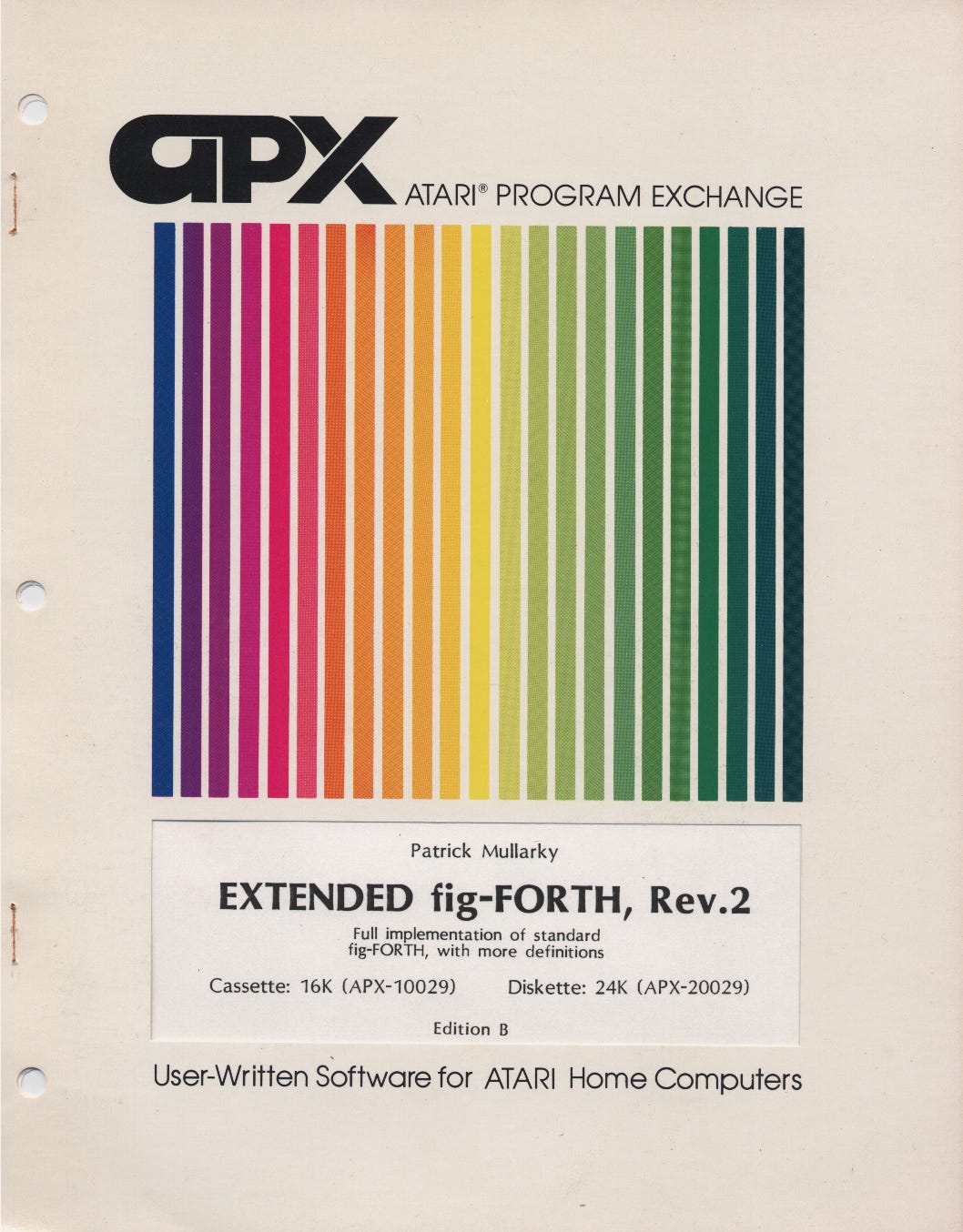
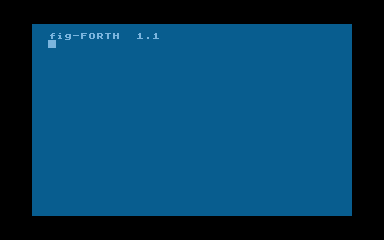
It was released by the Atari Program Exchange in 1981. Getting into it felt a bit hard, but this was made easier by finding some videos that Thom Cherryhomes had put on YouTube many years ago. People may be familiar with him as the inventor of FujiNet. His videos are a course on the basics of the language. I looked over the manual, and there wasn’t a lot of handholding. Only by learning from Cherryhomes’s videos did I get a sense of what I needed to do.
APX Forth doesn’t come ready to do Atari stuff out of the box. You can interact with the Forth interpreter, but you can’t save any source code to disk, and you can’t do anything with graphics or sound. You have to configure it to do this stuff. To make Forth more useful, you need to load some libraries.
After booting the APX Forth disk (and by being familiar with Forth’s concept of “screens,” which you can think of as sections of disk), follow the directions in the manual to load a series of screens. The libraries are incrementally compiled from source.
Forth screens are numbered sequentially, as offsets from the first track sector of the disk. You use screen numbers when using Forth’s screen-access words.
One of the essential libraries is the Forth screen editor. This is what you use to edit source code, or text, and save it to disk. All source code is saved as plain text in screens, which means that when you’re writing code to be saved, you have to break it up into screen-sized chunks. Though you can “chain” screens together, when dealing with longer code listings.
The editor automatically saves your code to the current screen, as you enter it. So, there’s no need to type a “save” command when you’re done. Though, it is recommended that you FLUSH the editor cache, before ending a programming session, or loading and running your code.
To run any code you’ve entered using the editor, you need to LOAD it from the screen where your code resides. This will compile it, and add it to the dictionary. The editor does not compile your code. It only saves it, and allows you to modify it.
Another library I think is essential is the debugger library. It doesn’t appear to do very much, but I’ve found it covers the basics I’ve needed to debug my code.
Another you might want to use is the 6502 assembler. There are a couple bugs in it. I came up with a fix, which I documented on Github.
For the fix to work, you need to load the screen editor, and then do the fix before loading the assembler library.
There are also libraries for the graphics and sound functions, floating-point arithmetic, and some other system functions. The manual documents the functions in each of these libraries, and some of how to use them.
Once you’ve loaded the libraries you want included in your Forth system, you then replace the APX Forth disk with your own blank disk in Drive 1, and type “SAVE”. Well, there’s a familiar command! However, it doesn’t do the same thing you’d expect in Basic. Instead of saving a program you’d just written, it creates a new boot disk, saving an image of the compiled Forth code that is in memory. This image is called the “dictionary,” and is automatically loaded when your Forth disk boots.
From this point on, you can just insert your configured Forth disk, and boot the Atari with it.
I found out you don’t even have to format blank disks you use with the Forth system. It seems like this is because it uses basic SIO commands to access the disk drive, enabling it to access disk sectors directly. Forth grabs eight of these per track (which Forth calls a “screen”). Also, using SAVE multiple times on the same disk (if you decide to save changes to your dictionary later) doesn’t automatically wipe out your disk’s contents. It just overwrites the screens that hold the boot code, and the dictionary. The dictionary uses more disk space with SAVE, though, the more you add to it.
The way Forth stores information on disk took some getting used to. Its scheme has advantages with regard to the memory footprint of what you develop in the system, but it can also leave you feeling isolated with regard to the rest of the Atari ecosystem. This is because fig-Forth doesn’t use a DOS, and doesn’t need it in order to access a Forth disk. A consequence of this is APX Forth cannot work with DOS-based filesystems, at least not without some serious system programming.
Screens 1-10, or so, on a Forth boot disk contain the Forth runtime, and the dictionary image. If you try to look at these screens, you’ll get a lot of garbage on your display. Screens 14 and 15 are reserved for error messages, which Forth reads off disk, and displays, corresponding with internal Forth error codes. All other screens, from 16 up to Screen 88, are available for storing source code, or anything else you might want.
Each screen is 1 kilobyte’s worth of data.
You can virtually access higher screen numbers by using a second disk in Drive 2, or you can access Drive 2 using the same screen numbers as with Drive 1 by switching Forth’s disk access context. The manual explains this.
Now what?
Looking further in the APX Forth manual, there’s some recommended source material for learning the language. There’s no tutorial in the manual. The first source listed is a book called “Starting Forth,” by Leo Brodie. As I went through it, I was surprised that I kept coming back to learn more about the language. I’ve liked its extensibility. Learning to use Forth’s stacks felt like a challenge, but not an overly frustrating one.
I’ve described “Starting Forth” as feeling like the beginning of Daniel’s training in the movie, “The Karate Kid.” Brodie gets you going with simple exercises, getting you familiar with using Forth’s two stacks, and then doing things with its scratch memory areas, and terminal I/O, its dictionary, and then its compiler. The learning slope is nice and gradual, but it can feel frustrating, because it goes on for pages and pages, intermittently prompting you to try another simple exercise. I got to feeling like, “When is this going to get me doing some real programming??”
The exercises seem like make-work, at first, but the point is to get you familiar and comfortable with the parts of the Forth system, because that’s what it is; it’s not just a programming language. Once you start trying to do some projects with it, you see the point. To get you started with some things that feel like real projects, I recommend Floegel’s book, “Forth on the Atari: Learning by Using,” which you can get from Atarimania.com. (It has the wildest computer book cover art you’ll ever see!)
Something to note is that “Starting Forth” doesn’t exactly match with what you get in APX Forth. Some of the words it documents don’t exist in APX, or have different names. A project I took on as a learning exercise was building some of the missing words. For those interested, my “Starting Forth upgrades” are on Github. APX Forth also comes with a “Starting Forth” compatibility library, which you can load from Screen 85.
Understanding Forth
My own take on it is Forth is an interactive microkernel. The language takes some getting used to, but the point is the system’s structure is easy to comprehend. It doesn’t bowl you over with complexity, and that is intentional.
I’ve described Forth’s language as “fitting into a region between assembly language and C,” in terms of what it works with. I find it easier to use than assembly, but “out of the box,” it does less for you than C. What you get in return is interactivity, and extensibility, and complete access to its system. You get the ability to run simple experiments, to build your own domain-specific languages, and your own system services.
The libraries I talked about earlier are not just APIs. They extend the language, introducing new capabilities, which can introduce new syntax and semantics, as well as new system services.
I mentioned earlier that Forth code is compiled. However, it doesn’t compile to machine code. Instead, fig-Forth uses what’s called a threaded interpreter. One might think this involves multitasking, but that’s not what this means. In Forth’s case, words are translated to addresses, and it uses a trail-following algorithm to “discern intent,” using paths of addresses, which lead it into a series of machine language primitives. These execute the intended actions. The Wikipedia article on threaded code explains the scheme generally.
I mentioned earlier that APX Forth has a 6502 assembler. This generates machine code directly, creating stubs that are accessible from Forth code, so the runtime is able to transfer control to your machine language routines when you call them (you have to hand control back to Forth when your routines are done. The manual has instructions on how to do this).
As I was doing research for my Quora answer re. Atari and Forth software, I came to understand that a lot of times commercial developers used Forth as a glorified assembler. This was to get better performance. One might wonder why use Forth at all if the project was going to be in assembly, anyway? I think I have an answer for that. The advantage you have in Forth is you get to develop your software incrementally and interactively. You can build it in small pieces, try things out, go back and change them, and try again, without having to reassemble everything, every time you do a test run. You can also create your own domain-specific languages, in order to, for example, write some of the code declaratively. I saw this in samples of one piece of commercial software I researched.
The code you write for interpreted Forth has these same development advantages.
What came to me quickly is Forth is a macro language. You build new meanings on top of existing meanings. Each word in the system does a defined thing, but there isn’t a tightly-bound way of using any of them. There are words that are designed to be used together, but that doesn’t mean they have to be used together. If any one of them does the thing you want, you can use it in isolation from the others, and Forth will not complain.
This is why looking at Forth code, at first, feels disorienting, because in a primitive setup, there’s extremely little syntax to look at. The key is understanding what each word does (the Forth system has a decompiler, so you can look at code already in the dictionary), and then by tracking state changes (I’ve done this manually, and it’s helped with code comprehension more than anything else I’ve tried), you can figure out what the code does.
You don’t have to go digging in the dictionary. The “Starting Forth” book explains quite a bit. Though, I’ve found some exploration of the dictionary can help a lot.
Since Forth is an extensible language, it is possible to fashion a language out of it that makes more sense at a glance.
People complain about how everything is done in reverse-polish in Forth. You don’t have to take it as it comes. If you like doing things in infix, there’s a way to program Forth to do things that way (though, this takes skill in understanding the existing system). If you decide to reprogram the way some things are done, it doesn’t break older code that depended on what you redefine. It keeps older versions of code in the dictionary, and the code that depends on them still has access to them. It just hides them from you, only exposing the most recent version, unless you want one of the older ones back.
After getting comfortable with APX Forth, I can see why the language didn’t get that popular, because it takes a while to feel like, “Now I can start getting something done with it.” Typically, I think people can tolerate taking a few months to get comfortable with a programming language. It seems to me it takes longer than that with Forth, because again, it’s not just a language. Plus, just my opinion, but to really use it well requires extending it, defining new semantics, to make it into something that will support the objective you have.
Some might wonder why I’m focusing on APX Forth, rather than something with a richer library of capabilities, like ValForth. There are two reasons: One is this was the first version I heard about, and was introduced to through Thom Cherryhomes’s tutorial. Second, I’ve found I learn extensible languages best when there’s not much in them to start with. I like the feeling of providing my own improvements, because that teaches me how to do powerful things in the language. If the tools are already there, I feel pressure to just learn how to use them, and not really develop my ability to build them myself.
Resources:
If you would like to take a grand tour of the APX Forth system, I finished up a series of instructional videos I created on “Advanced APX Forth” in May. They continue where Thom Cherryhomes’s series left off (so, you should watch his videos first). You can find my video series at “Forth: A beginning?”, or on YouTube.
The Atari Program Exchange released a follow-up set of libraries for APX Forth called “fun-Forth.” This is a set of add-on libraries that brings fig-Forth a little closer to what people familiar with Atari BASIC are used to. It also contains instructions on how to convert your Forth creation into an autobooting disk, so users can just boot their Atari and run it. They don’t have to see the Forth environment at all.
Go to Source
Author: Mark Miller
About The Author


